
Hello Friends Welcome To A New Article
Today I Am Gonna Tell You Guys How To Create a G-Mail Id With Your Android Mobile
I know many of You may know how to do it, But this is for those who don’t know how to do it
So lets Get Started
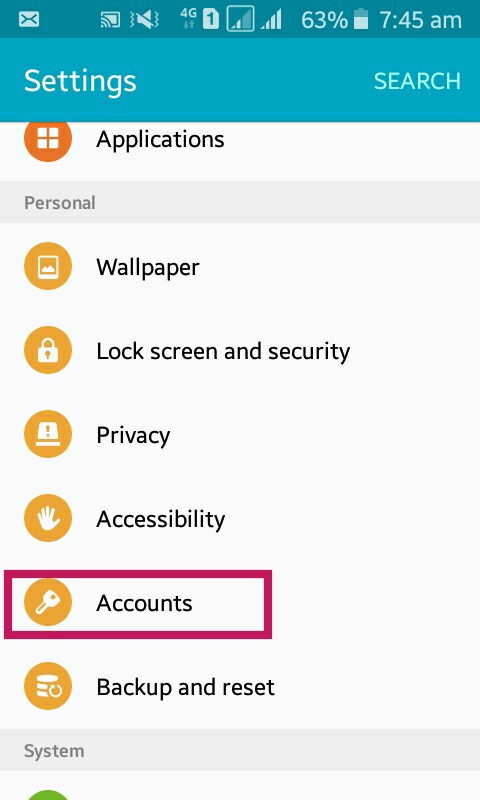
1st Step, Go to your mobile setting and click on accounts As Shown in The Picture
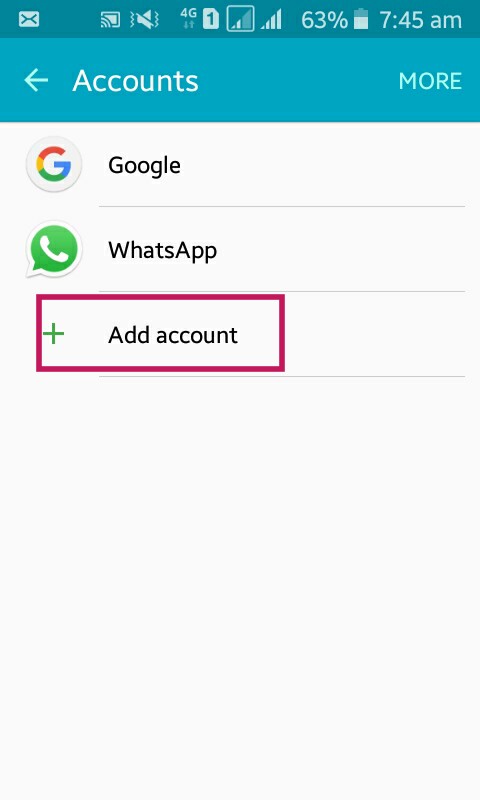
2nd Step, Then click on add account, Show in the picture
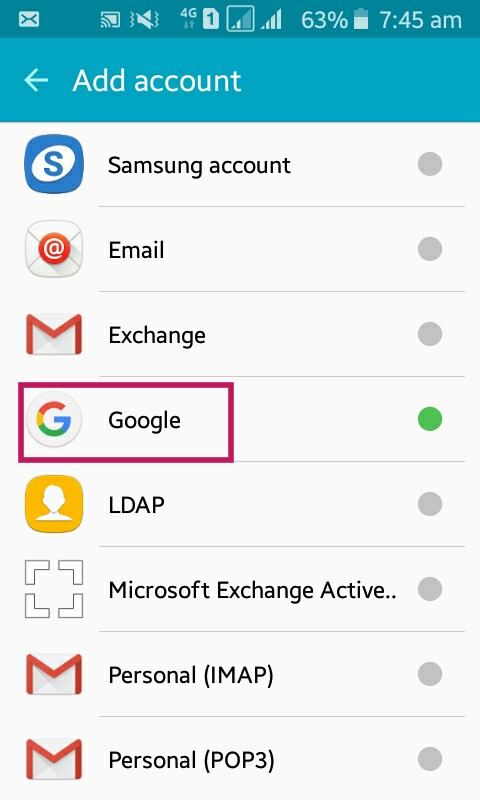
3rd Step, Then Click On Google
Enter The Password Of Your Phone (if have)
A Screen Like This Will Appear
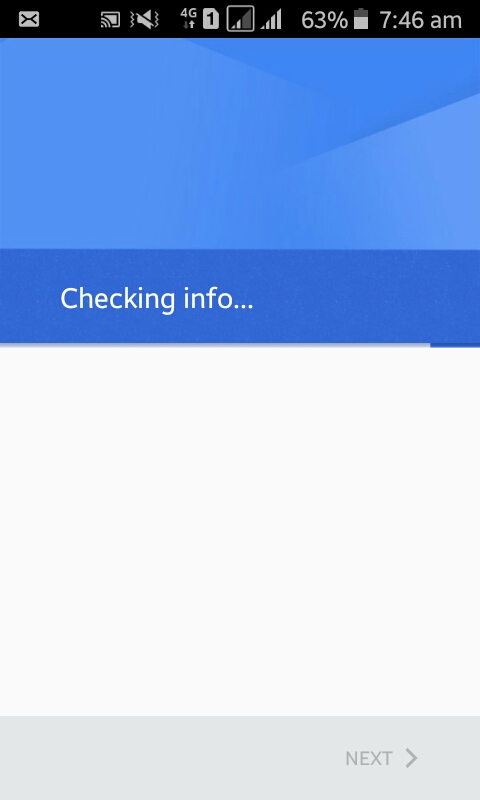
After a few seconds of loading
4th Step, Click On Create Account

5th Step, Select for who you are creating this account
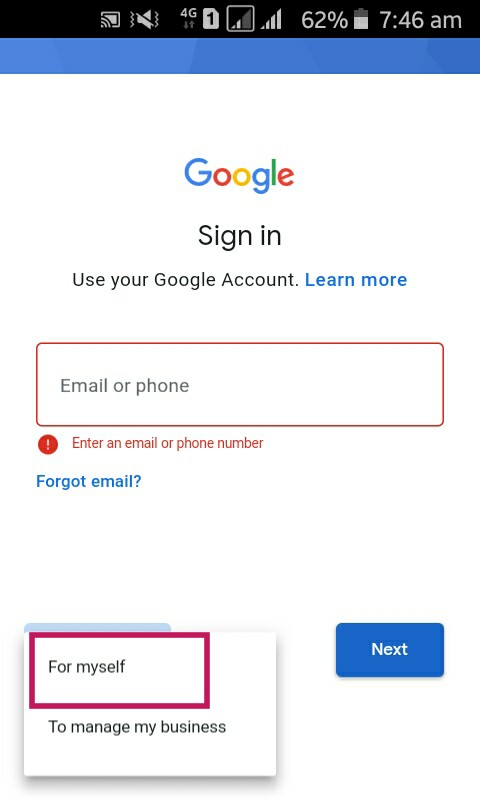
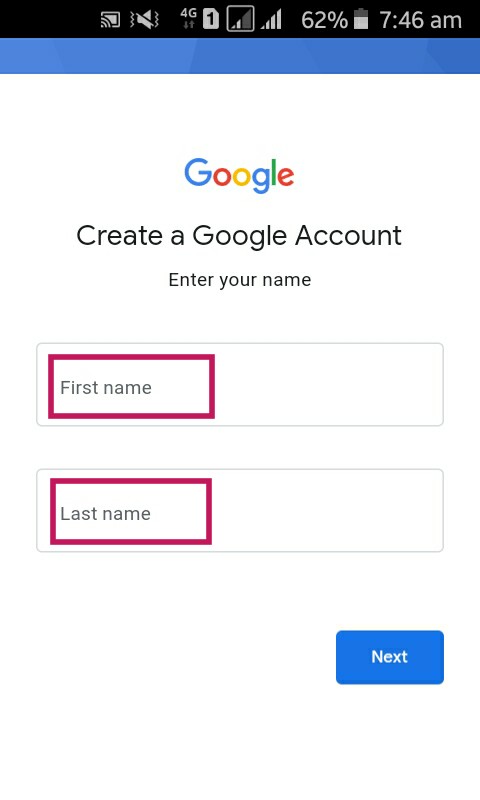
6th Step, Enter For First And Second Name
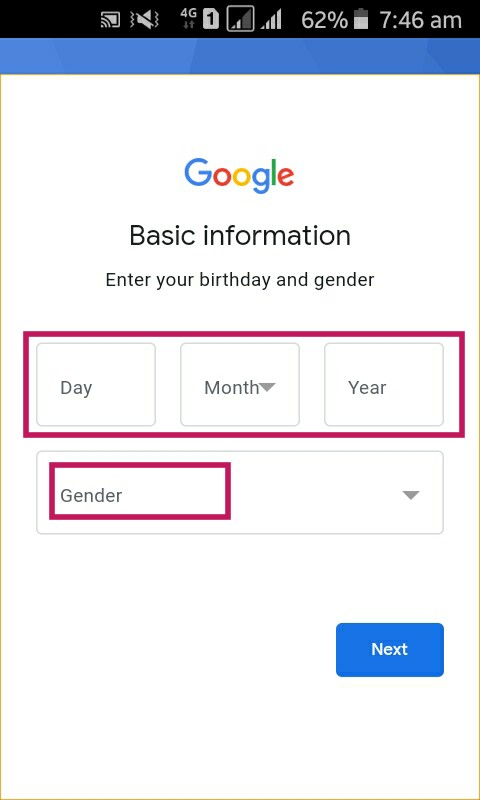
7th Step, Enter your date of birth
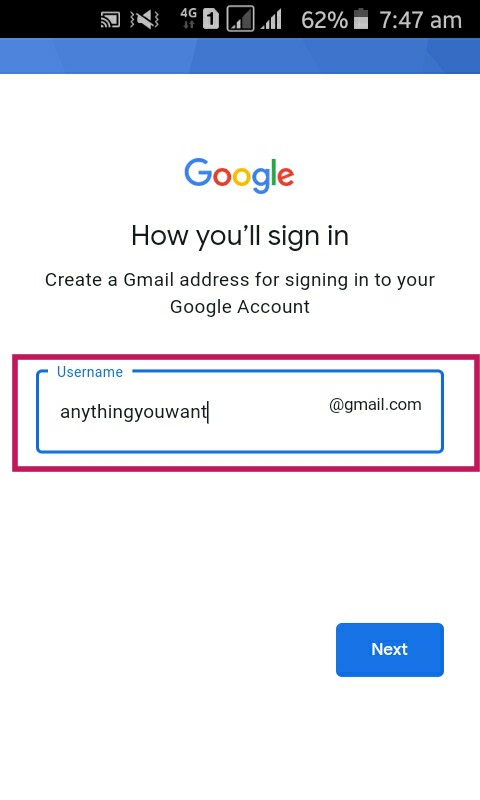
8th Step, Enter the Username you want to get
9th Step, Enter A Strong Password
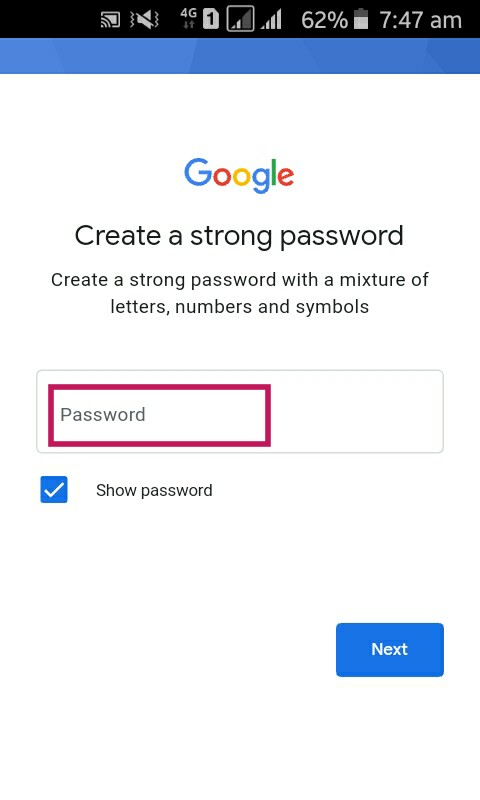
And You Are All Done. Just click next, And Yes I’m In And Have Fun.
If You Want to watch a video tutorial the click HERE
 King'sTech